Customer Complaints can be tracked using WIMS Events.
Setup:
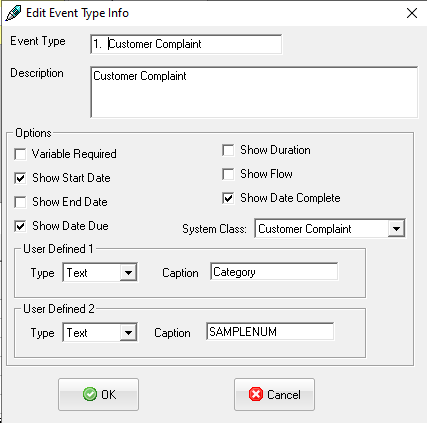
1. Confirm the Customer Complaint Event Type has been setup (part of the Database Upgrade 8.5.0) using Event Types Setup.
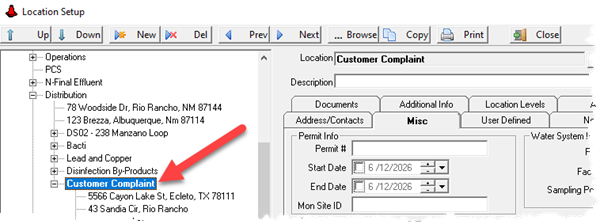
2. Setup a parent location for Customer Complaints using Location Setup.
3. Setup daily detail variables (15 minute) for any test results that will be associated with the complaint (Free Chlorine, Turb, Color, pH, Iron, Manganese, Geosim...)
4. Setup samples with no schedule that specifies the test/analytes for each type of complaint (Taste, Odor,
Creating a Customer Compliant
1. Go to Events and click New. Choose Customer Complaint as the type:
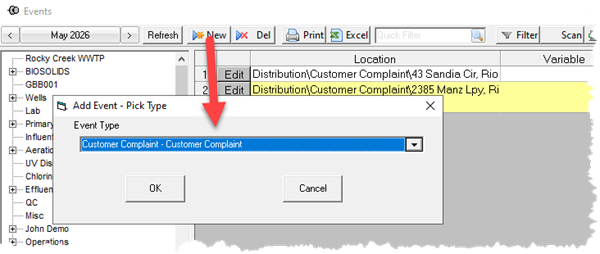
HINT: Create a Create Event Dashboard button with Event Type set to Customer Complaint.
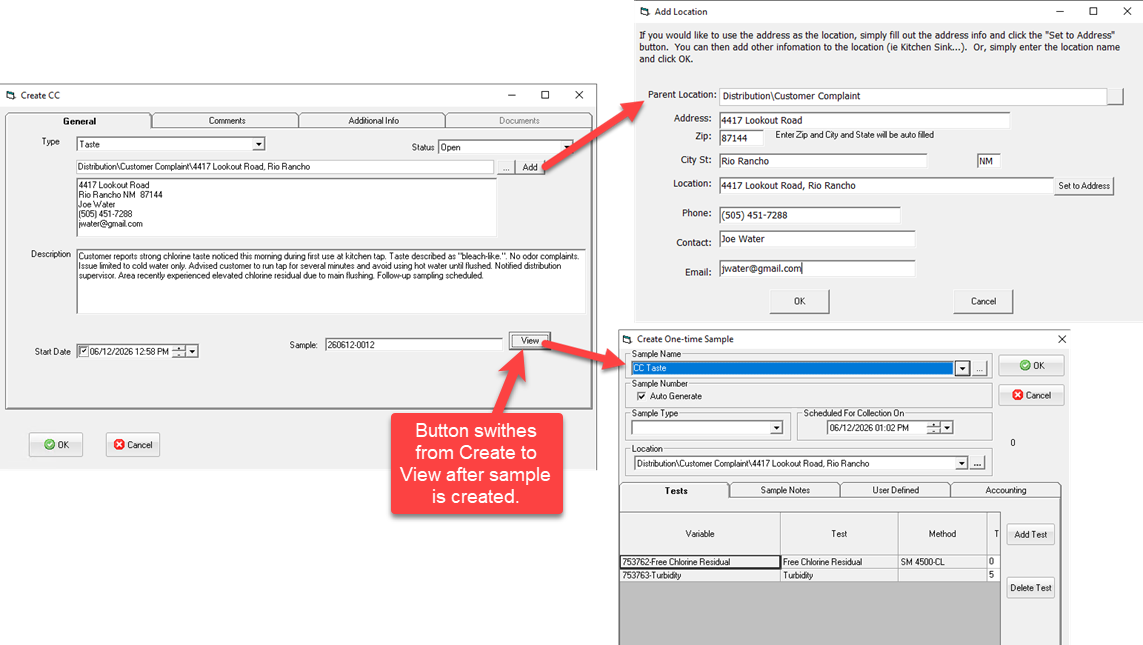
2. Fill out the Create Complaint form. Create location and Sample if necessary.
Working with the Event:
Use Events to review and edit. Attach documents, comments, etc... When complete, use Status to mark as Closed.